Free video cutting software
Video Scissors is a free multimedia application developed by Yizhou Ye. This software allows you to cut parts of your videos and string them together to form a single clip. It works with many file formats, including AVI, MPEG, MP4, WMV, and RMVB.

Unlock your creativity with Adobe Stock
Get 10 images or 1 video with a free trial
Video Scissors offers a simple video cutting process. Users need only to drag and drop their video files and choose the parts they wish to cut. However, unlike other video editors, there are no other features available. Additionally, it only works for certain geometries. It tends to stretch the video if it has a different aspect ratio.
How do you use Video Scissors?
Video Scissors is a video editing application that provides video cutting and video merging features. Here, users can easily cut parts of their videos and join them to form a single clip. As mentioned, the app works with various formats, allowing you to work with any video you may have. Not only that, but it also lets you choose from multiple output formats after editing your clip.
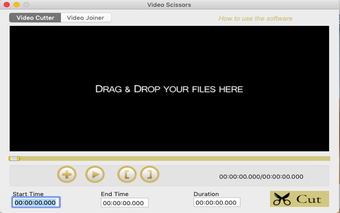
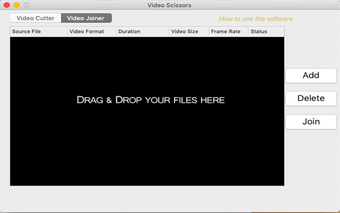
The editing process is simple as the app allows you to drag and drop your file into its window. To cut your video, click the Video Cutter tab and input both the start and end times of the clip you want to trim. Once done, click the Cut button. You can then click the Video Joiner button and choose the videos you want to merge.
Video Scissors offers lossless video cutting. Moreover, it can cut your video quite fast. However, as noted, it only works for certain video geometries. If your clip does not meet the aspect ratio, the app will stretch it horizontally, distorting your video. Additionally, it does not offer other video editing tools. What's worse, it constantly crashes or freezes, rendering it useless most of the time.
Should you download it?
Video Scissors could have been a handy application. With it, you can cut and merge your videos, regardless of their format. Moreover, you can save them in the format of your choice. However, the app only works with ratios popular in 2011. It also does not offer other editing tools. Worse, it does not work most of the time. Overall, there are better free editing applications that you can use.

.png)






.png)